Step 1: Accessing the Opportunities Module
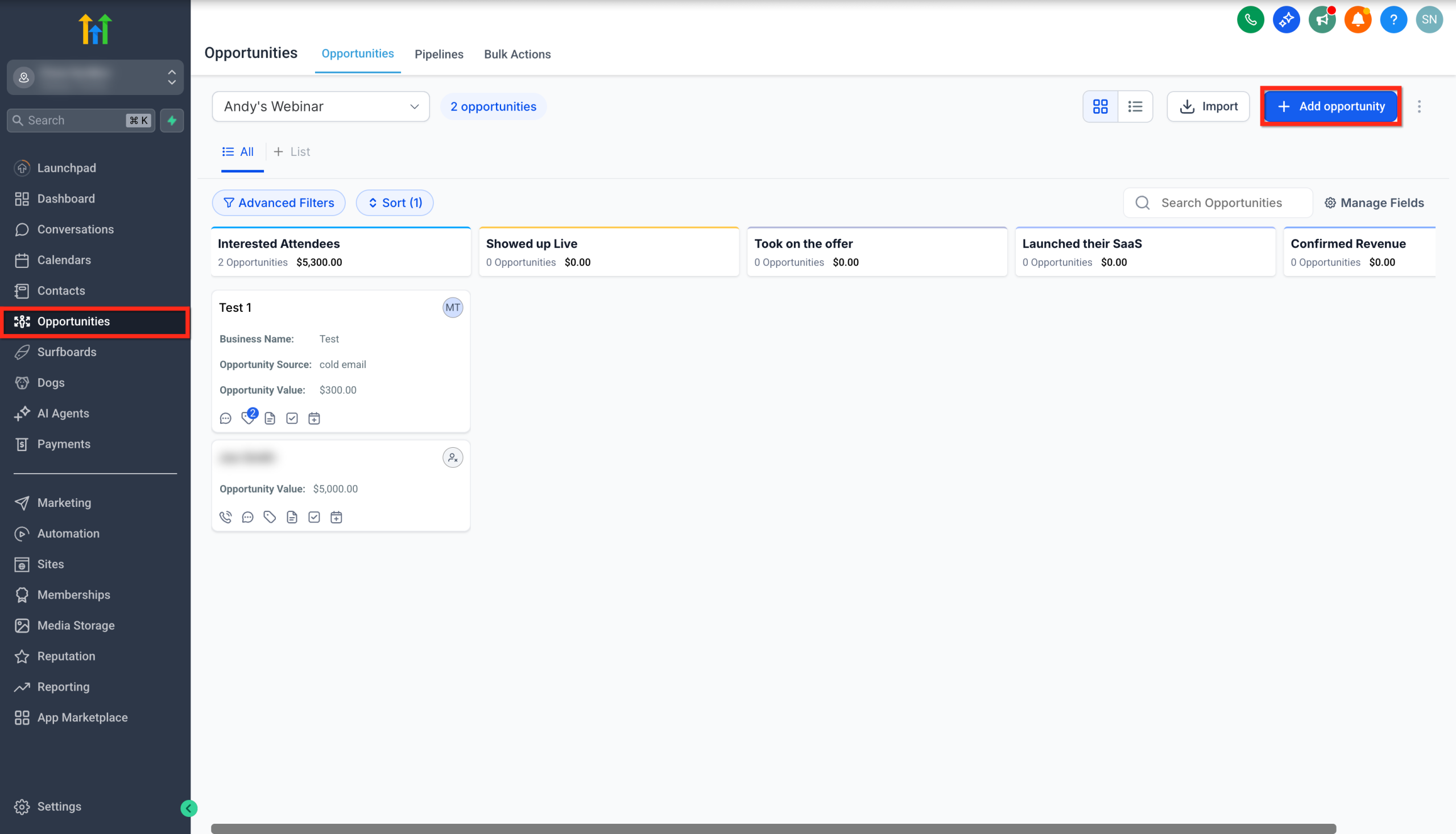
- Log in to your Cytixs sub-account.
- Click on the Opportunities tab.
- Click the + Add Opportunity button at the top right.
Step 2: Filling in Contact & Opportunity Information
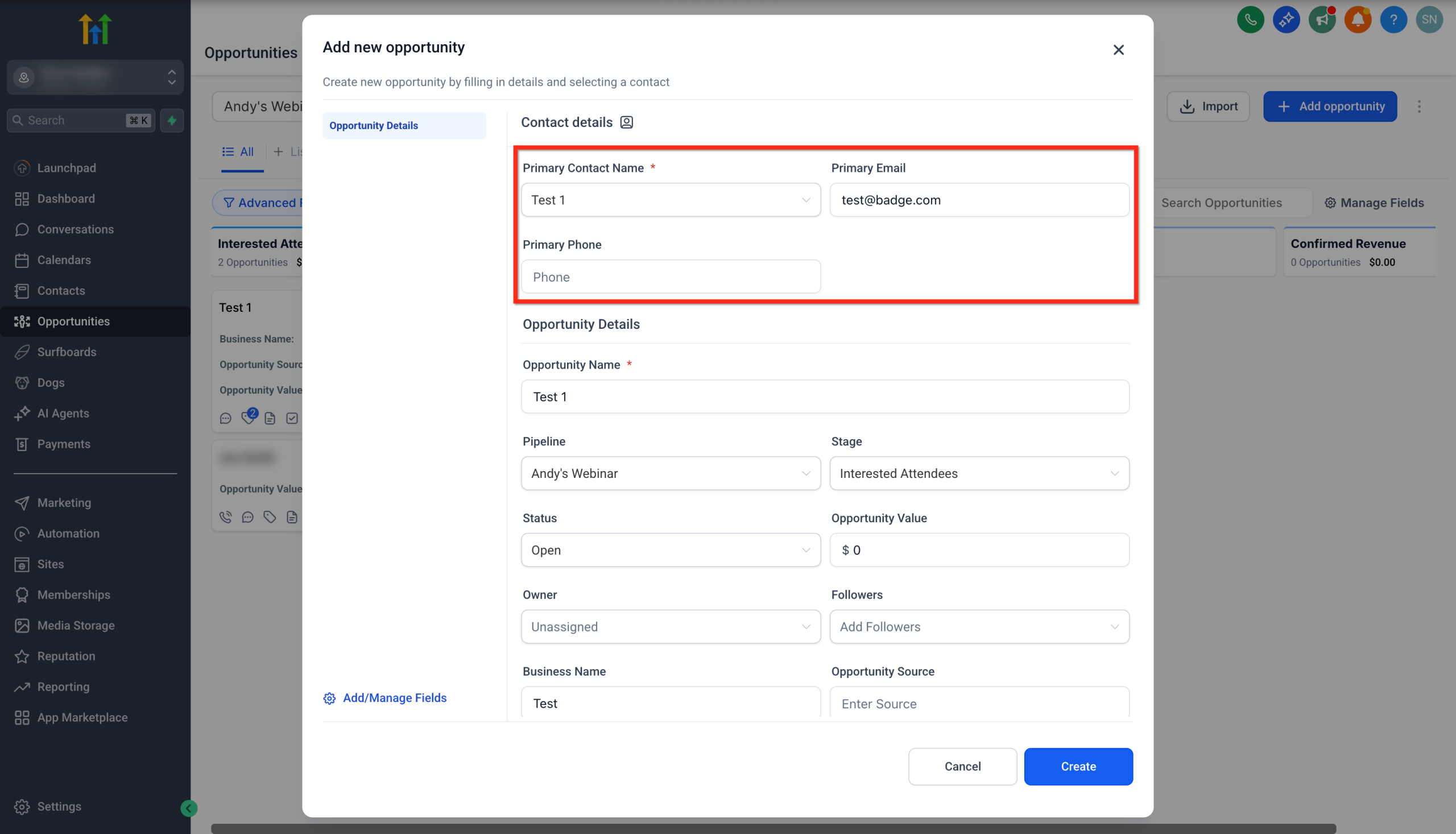
- Select a Primary Contact from your list of saved contacts.
- Email and phone, or enter manually if not available.
Step 3: Assigning Pipeline, Stage, and Status
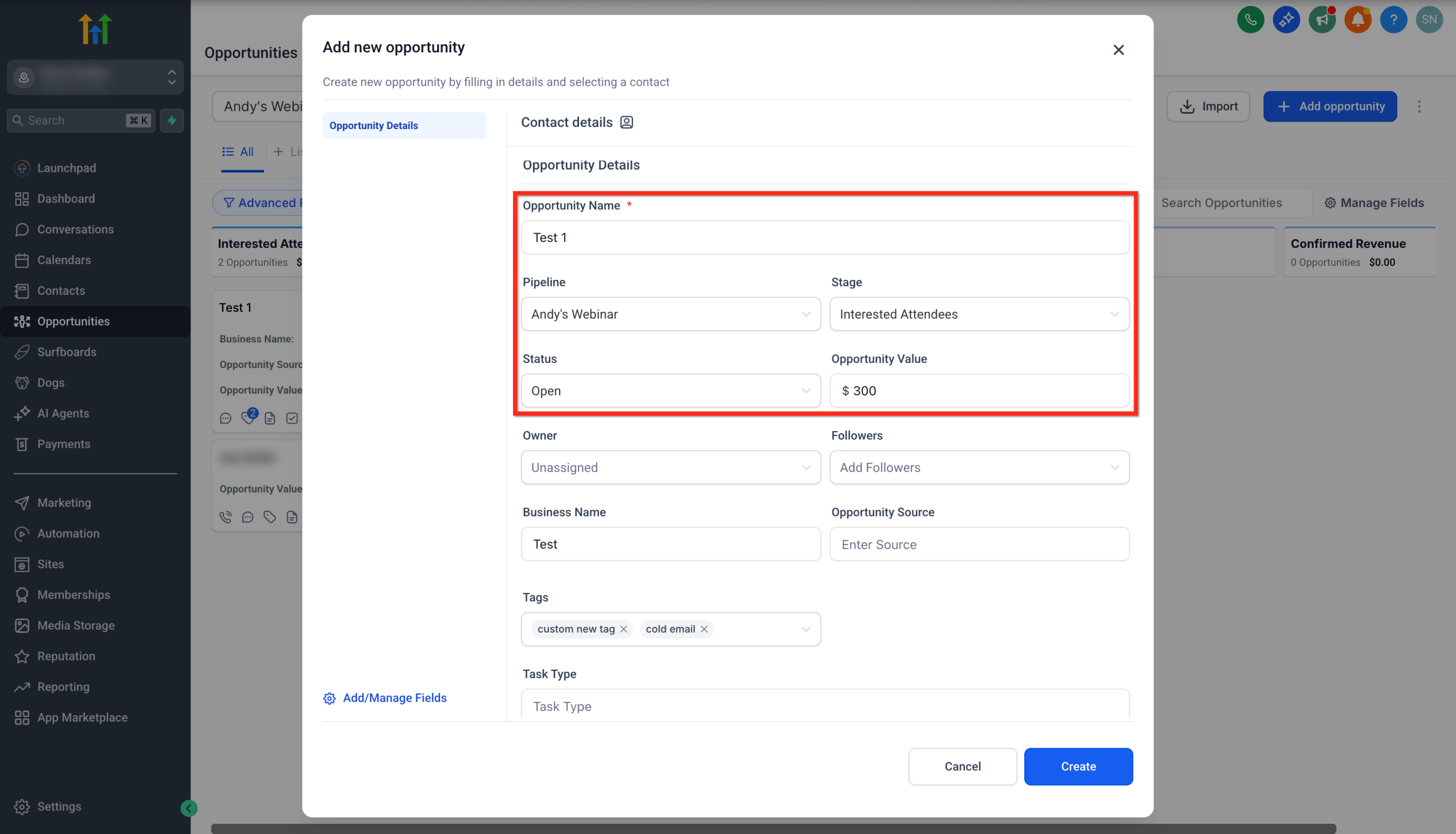
- Add a custom Opportunity Name or keep the default contact name.
- Select the Pipeline to add the opportunity to.
- Choose the appropriate Pipeline Stage.
- Set the Opportunity Status:
- Open
- Lost
- Won
- Abandon
- Enter the Opportunity Value.
Step 4: Adding Owner, Team Members and Additional Details
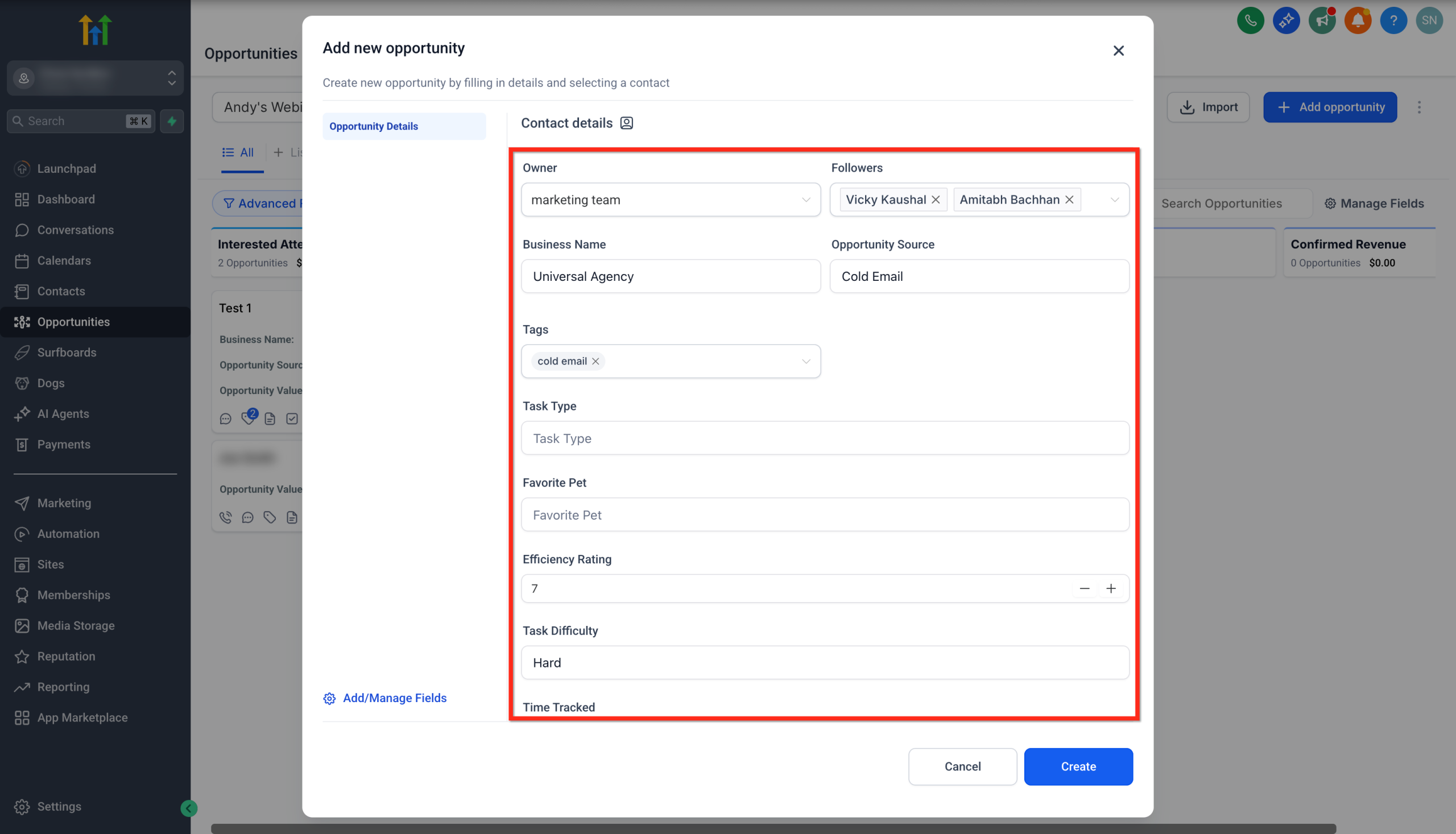
- Assign an Owner to the opportunity.
- Add Followers to the opportunity. (You can add multiple followers)
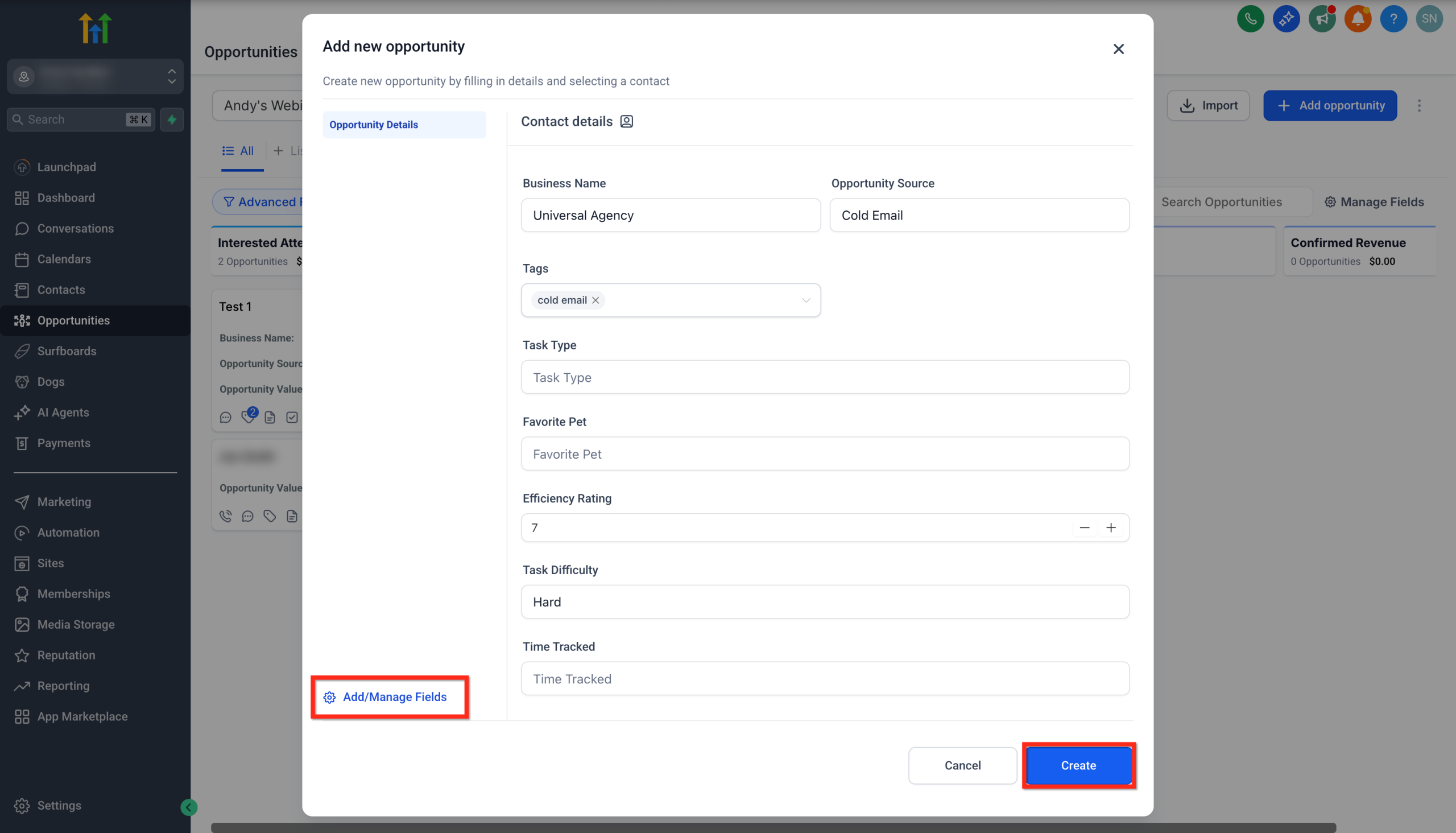
- Fill in Additional Fields (as needed):
- Business Name
- Opportunity Source
- Tags
- Task Type
- Favorite Pet
- Efficiency Rating
- Task Difficulty
- Time Tracked
Step 5: Finalizing the Opportunity
- Click Add/Manage Fields to manage custom fields.
- Click the Create button to save the opportunity.
- Verify the new opportunity in your pipeline.
Was this guide helpful?